


been: track visited countries
4.574.00 Reviews
App Specs
- Version
- 2.9.4
- Updated On
- License
- Free
- Downloads
- 1,000,000+
- Developer
- Simple Apps You Love
- Categories
- Travel & Local
- Platform
- Android
Screenshots
 Analysis by AppCompare
I like travel apps best when they help me answer a simple question without turning trip planning into another chore: where have I actually been, and where would I like to go next? been is built around that kind of big-picture view. It gives a trip history a clear visual form, which can be more satisfying than trying to reconstruct years of holidays from old messages and photos. I see it as a lightweight travel companion rather than a full itinerary planner, and that distinction matters when deciding whether it fits your routine.
A quick, visual way to record a travel history
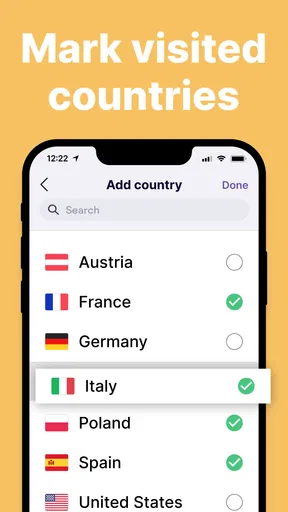
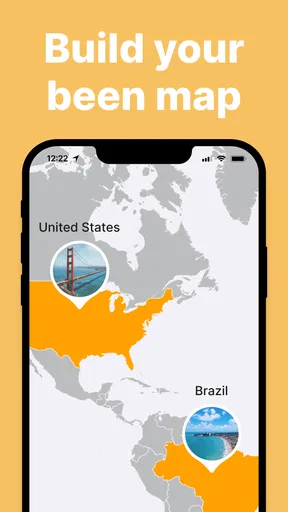
The appeal is easy to understand: mark countries you have visited, then use the map as a compact reminder of your travels. For someone who wants a personal record but does not want to write a detailed journal after every trip, that simple approach is a real strength. A map is also easy to revisit with family or friends; it can prompt stories without requiring you to keep a polished travel blog.
That simplicity shapes what I would use it for. I would add a country after returning home, while the trip is still fresh, rather than interrupting a holiday to maintain a record. On a weekend away, for example, I could make a quick note to update the map later and keep my attention on the place I am visiting. The app is best treated as a retrospective log, not as a live travel assistant that guides you through a destination.
What to expect from everyday use
Because the central task is recording visited countries, I would expect the experience to feel straightforward rather than demanding. The useful question is less about raw speed and more about whether updating a travel record stays easy enough that I will keep doing it. A simple visual checklist can be quick to understand, but any tracker is only as useful as the history I take time to enter.
There is a practical benefit to separating this record from a photo library or calendar. Those tools may contain clues about where I went, but they are not necessarily arranged to show a country-by-country overview. A dedicated travel map gives that history a clearer shape. On the other hand, if I want dates, routes, hotel details, or a searchable archive of memories, I would still need another tool; a country tracker should not be mistaken for a full travel diary.
Where it fits—and where it does not
been is most appealing to people who enjoy collecting destinations, keeping a bucket list, or looking back at travel in a visual way. It can also be a useful starting point for a conversation about future trips: a map with gaps makes possible destinations feel concrete without requiring a complicated planning system.
It is less suitable for travelers who need precise records for work, expense reporting, visa paperwork, or complicated multi-stop itineraries. A country-level overview is intentionally broad. It cannot replace careful personal records when exact dates, border crossings, or city-by-city details matter. I would keep those in a calendar, notes app, or travel organizer and use this as the overview beside them.
Worth Reading Before You Choose

Flipboard Shows What News Apps Must Do Beyond the Feed

Switching to Android Auto Means Rethinking Your Driving Routine

Google Calendar Makes a Crowded Week Easier to Manage

Ludo King Makes the Most of the Minutes Between Plans

Baby Panda World Brings Quick Play to Modern Phones, but Its Game Library Feels Busy

ESPN’s Live Game View Makes Following Close Games Easier
Reliability, device fit, and value
For a personal log, reliability means being able to return to the same record and trust that it still reflects the trips I have entered. I would make a habit of checking the map after adding destinations, especially if I am maintaining a long travel history. That small review catches accidental taps and keeps a bucket list distinct in my mind from places I have actually visited.
The app is free to download, with optional in-app purchases priced from $2.99 to $129.99 per item. I would start with the free experience and decide whether any paid option is worthwhile only after seeing how often I use the tracker. The listed age rating is Everyone, and the current version is 2.8.3; it requires Android 8.0 or later. Those details make it easier to judge basic fit, though they do not change the core question: do you want a country map, or a more detailed travel record?
What’s All the Buzz About?
When I first stumbled upon been, I was instantly intrigued. The app is all about helping you keep a visual record of the countries you've visited. It's like having a personal travel map in your pocket. And trust me, it’s as cool as it sounds!
Installing the app was a breeze, taking just a few minutes. Once I opened it, I was greeted with a world map that felt both inviting and exciting. The interface is super intuitive, making it easy for even the least tech-savvy traveler to navigate.
Mapping Your Adventures
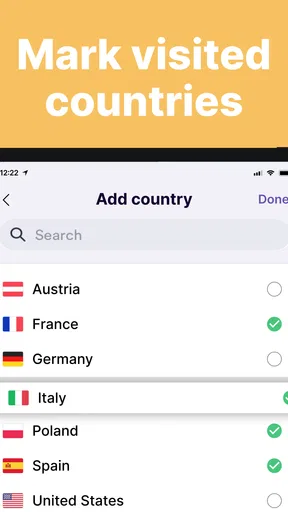
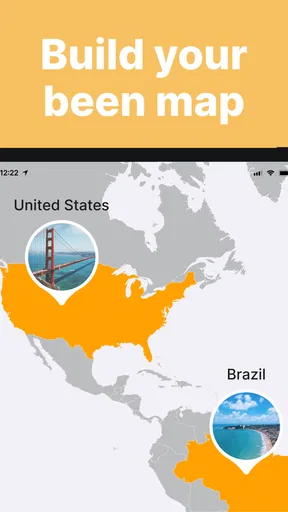
One of the features I love the most is the ability to color in the countries I've visited. It’s a simple yet satisfying way to see your travels at a glance. Just tap on a country, and it lights up, adding a splash of color to your map. It's like coloring a global coloring book, and it feels just as rewarding.
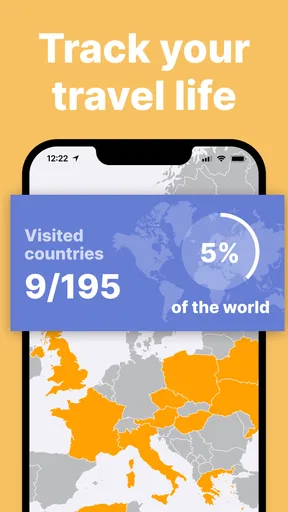
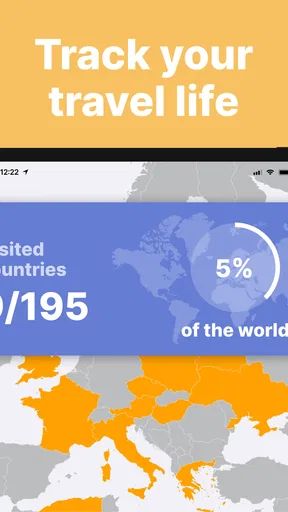
What’s more, the app shows you the percentage of the world you’ve explored. I was shocked to see how much—or how little—I’ve covered! This feature is perfect for those of us who need a little nudge to explore new places.
Keeping It Social
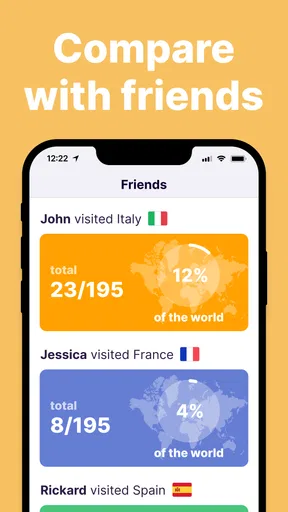
If you’re anything like me, sharing your adventures with friends is half the fun. Here’s where been shines again. You can easily share your map on social media or with friends directly from the app. It’s a great way to brag about your travels or inspire others to pack their bags.
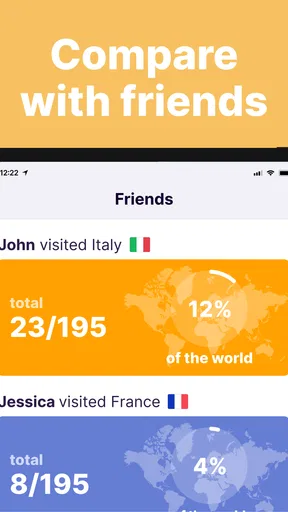
Plus, there’s a leaderboard! You can see how you stack up against other travelers worldwide. Friendly competition, anyone?
Room for Improvement
While been is fantastic, I couldn’t help but wish for a few additional features. For starters, it would be fantastic to add notes or photos to each country. Imagine tagging a picture of the Eiffel Tower to France or jotting down a favorite memory from your trip to Japan.
Another feature that could elevate the app is the ability to track cities or regions within countries. For those of us who love road trips or exploring every nook and cranny of a country, this would be a game-changer.
Final Thoughts
Overall, been is a delightful app that adds a splash of fun to tracking your travels. It’s simple, elegant, and does exactly what it promises. Whether you’re a seasoned globetrotter or just getting started on your travel journey, this app is a must-have.
So, next time you’re planning an adventure or reminiscing about past travels, give been a whirl. It’s a delightful way to visualize your journeys and perhaps, just maybe, it’ll inspire you to book that next flight. Happy travels!
Using the map as a practical checklist
A useful way to get more from a country map is to treat it as two separate mental lists: places already visited and places you are curious about. Before marking anything, I would decide what “visited” means for me. A brief airport connection is not the same as spending time in a country, and a consistent personal rule makes the map more meaningful over the years. The app’s visual format makes that distinction worth thinking about, even if the definition is your own.
For a couple or family, the map can also be a low-effort planning prompt. Each person can compare the places they remember and spot destinations that appeal to everyone. It is not a substitute for checking travel logistics, but it can turn a vague “where should we go?” conversation into a short list of places to research. I would use it at the inspiration stage, then move to a dedicated planner once dates, transport, and accommodation enter the picture.
How it compares with common alternatives
Compared with keeping a list in a notes app, a world map offers an immediate sense of geographic coverage and makes travel history more enjoyable to revisit. A spreadsheet can be better if I need columns for dates, companions, or work purposes, but it asks me to maintain a more structured record. A photo app gives richer memories, yet photos are organized around images rather than a clean country checklist. These tools solve different problems, so I would not expect one to replace all the others.
There is also a difference between this kind of tracker and a route-planning or booking app. Those are designed to help with a trip that is happening now; a visited-country map is more about the accumulated record and the next idea. If I want turn-by-turn directions, transport changes, or a day-by-day schedule, I would choose a purpose-built travel tool. If I want to look at my travel footprint without digging through old files, this app has the more fitting role.
Keeping the record useful over time
One small workflow can prevent the map from becoming a confusing collection of taps: update it soon after each trip, then take a moment to check the country marks against your own definition of a visit. If you wait years, it may be harder to remember whether a stop was a proper visit or only a connection. For older travel, I would use calendars, photo timestamps, or saved messages as memory prompts, then enter only what I feel confident about.
The percentage view can be motivating, but I would not treat it as a measure of how well-traveled someone is. Countries vary enormously in size and in the time they take to explore, and a single mark cannot capture the depth of an experience. I find the map more rewarding as a prompt for stories and future curiosity than as a score to chase. That also makes the leaderboard easier to enjoy casually rather than turning it into a contest.
Sharing without turning travel into a competition
Sharing a map can be a nice way to show friends where you have been, especially when they are planning a similar trip or asking for ideas. I would share it because it starts a conversation, not because a fuller map proves anything. The social side and leaderboard may appeal to travelers who enjoy comparing progress, while people who prefer a private scrapbook may care more about the personal visual record. Either way, the strongest reason to keep the map is that it means something to you.
Before sharing, I would take a moment to make sure the map reflects what I actually want to show. A country-level overview is broad, but travel history can still be personal. The app’s sharing function is useful when a quick visual is enough; if I want to tell the story behind a trip, a message or photo album gives me more room. That is a practical distinction rather than a flaw: the map is a snapshot, not the whole memory.
What to consider before relying on it
A country tracker is only as dependable as the entries I maintain, so I would not use it as an official record. For anything where exact dates or proof of travel matters, I would keep receipts, booking confirmations, and relevant documents separately. For personal recollection, the map is a convenient overview; for administrative needs, it is not the right source of truth.
People planning to record places below country level should also be realistic about the app’s scope. The ability to mark a country is satisfying precisely because it stays simple, but it does not answer which neighborhoods, regions, or routes made a trip memorable. I would pair it with a journal or photo collection if those details matter to me, rather than waiting for a country map to do a diary’s job.
Who will get the most from it
Simple Apps You Love makes this free Travel & Local app for people who like a tidy overview of their journeys. Its average rating is 4.5 from around 6,100 ratings, and it has over 500,000 installs, giving prospective users a sense of its reach without changing the personal nature of the decision. It was released on February 20, 2024, and has 55 written reviews, but I would judge it by whether the map suits the way I remember travel rather than by popularity alone.
I would especially recommend trying it if you have visited several countries and want a quick visual record, or if you are building a bucket list and enjoy seeing goals take shape. It is also a reasonable fit for someone who wants a light travel ritual: return from a trip, update the map, and share it if it sparks a conversation. If you rarely travel, prefer detailed journaling, or need records for work and paperwork, a different tool will serve you better.
My performance verdict
For the app’s focused purpose, the experience is appealing when it stays quick to understand and easy to revisit. The country map is the main event, so I would value a clean update process more than elaborate extras. I cannot judge performance from a country tracker’s concept alone, and I would not make claims about battery use or background activity without a clear basis. In ordinary use, my practical advice is to keep the map updated in short sessions and avoid expecting it to manage an entire trip.
Overall, been works best as a cheerful visual logbook: more engaging than a bare checklist, less detailed than a journal, and much less involved than a full travel planner. Its limits are also its focus. I would keep it for the satisfying overview and use other tools for city-level memories, itineraries, and formal records. If that division sounds right to you, it is an easy app to understand and a pleasant way to look back at the countries that have become part of your story.
Pros
- Simple interface for easy navigation.
- Accurate country tracking and display.
- Supports offline mode for travel.
- Customizable map views and themes.
- Integration with social media platforms.
Cons
- Limited data on smaller regions.
- No option for collaborative tracking.
- Frequent pop-up ads in free version.
- Doesn't support multiple user profiles.
- Requires location access to function.
FAQs for been: track visited countries
What features does the 'Track Visited Countries' app offer?
The 'Track Visited Countries' app allows users to mark countries they've visited on an interactive map. It provides features like trip journaling, photo uploads, and statistics on travel history. Users can also share their maps on social media and connect with fellow travelers to compare journeys.
Is the app available on both Android and iOS platforms?
Yes, the 'Track Visited Countries' app is available for both Android and iOS devices. You can download it from the Google Play Store for Android users and the Apple App Store for iOS users, ensuring cross-platform compatibility and easy access for all smartphone users.
Does the app require an internet connection to function?
The app primarily functions offline, allowing users to update their travel logs without an internet connection. However, features like social sharing, map updates, and community interaction do require internet access. This makes it convenient for travelers who may not always have a reliable internet connection.
Is there a cost associated with using the app?
The 'Track Visited Countries' app offers a free version with basic features, but it also has a premium version. The premium version includes advanced features such as detailed travel analytics, customizable maps, and ad-free usage. Users can choose the version that best suits their needs and budget.
How does the app ensure the privacy of user data?
The app is committed to user privacy, employing data encryption and secure storage practices to protect personal information. Users have control over their data and can choose what to share publicly. The app's privacy policy clearly outlines how data is used and safeguarded, ensuring transparency and user trust.


